Customer API
01- Who calls it
- Your server
- What the caller holds
- An API key,
vexu_live_…, sent asAuthorization: Bearer.
 vexu.ai
DEVELOPERS
Run agents, knowledge, and actions over HTTP. Open a live chat or voice session with a short-lived ticket. Or drop the website widget on a page. One account, three ways in.
curl https://api.vexu.ai/api/public/v1/agents \
  -H "Authorization: Bearer YOUR_API_KEY" \
  -H "Accept: application/json"
Base URLhttps://api.vexu.ai/api/public/v1
INTEGRATE
vexu_live_…, sent as Authorization: Bearer.wgt_…, in the page. Not an API key.Who holds what
Customer API
Realtime session
API key never leaves your server
Website widget
PORTAL
Developers in the portal is the operations view. Developers → Documentation is the in-app reference.
The page shows:
From the same page a developer can create, rotate, and revoke API keys. Creating and rotating work only while Customer API access is enabled. Revoking a key still works when access is off.
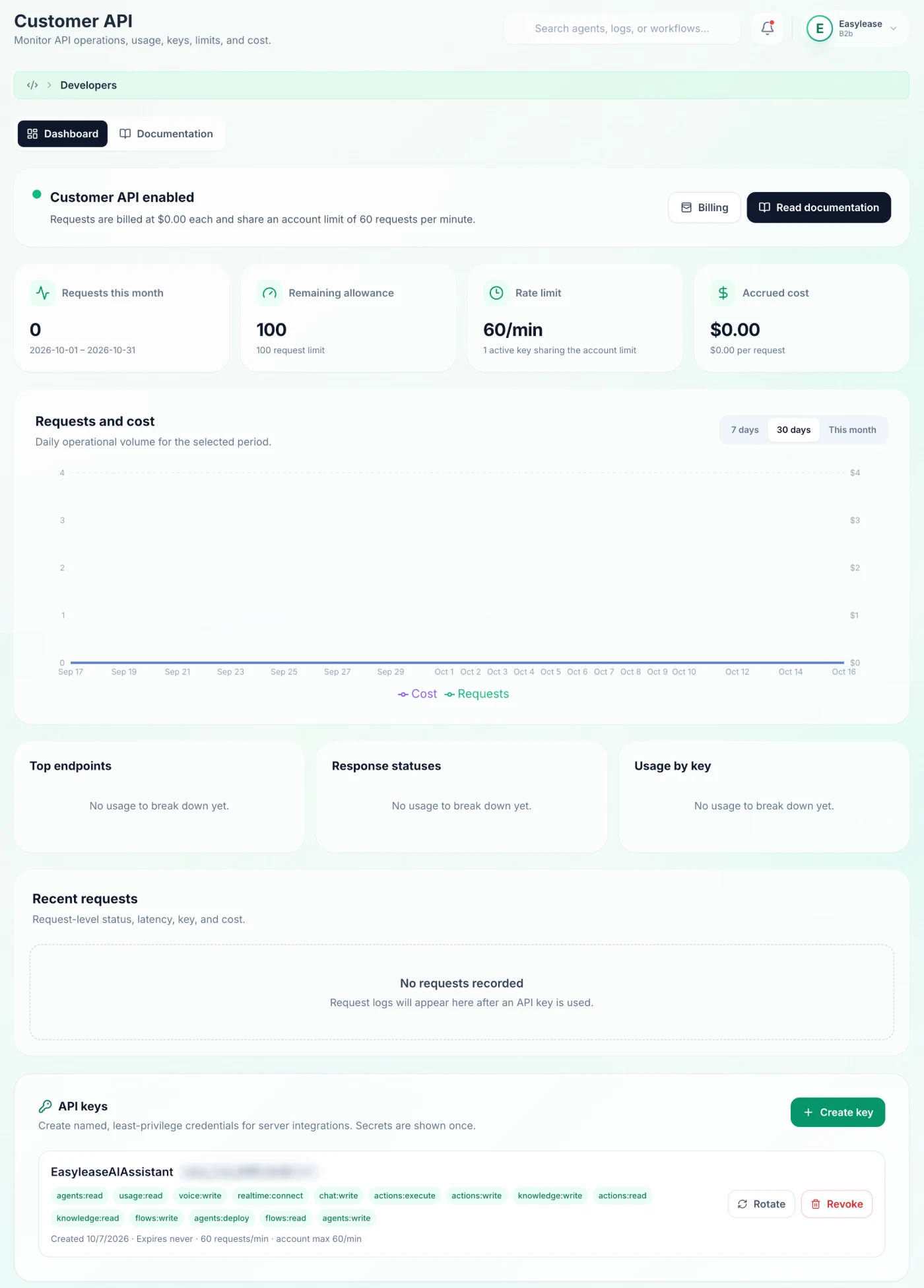
API keys
| Option | What it does |
|---|---|
| Name | Labels the key so each service or environment can have its own. |
| Scopes | The only operations the key is allowed to call. |
| Expiration | Optional end date. After that the key is rejected. |
| IP allowlist | Optional list of addresses that may use the key. |
| Per-minute rate limit | Optional cap for that key. It cannot exceed the account’s per-minute maximum. |
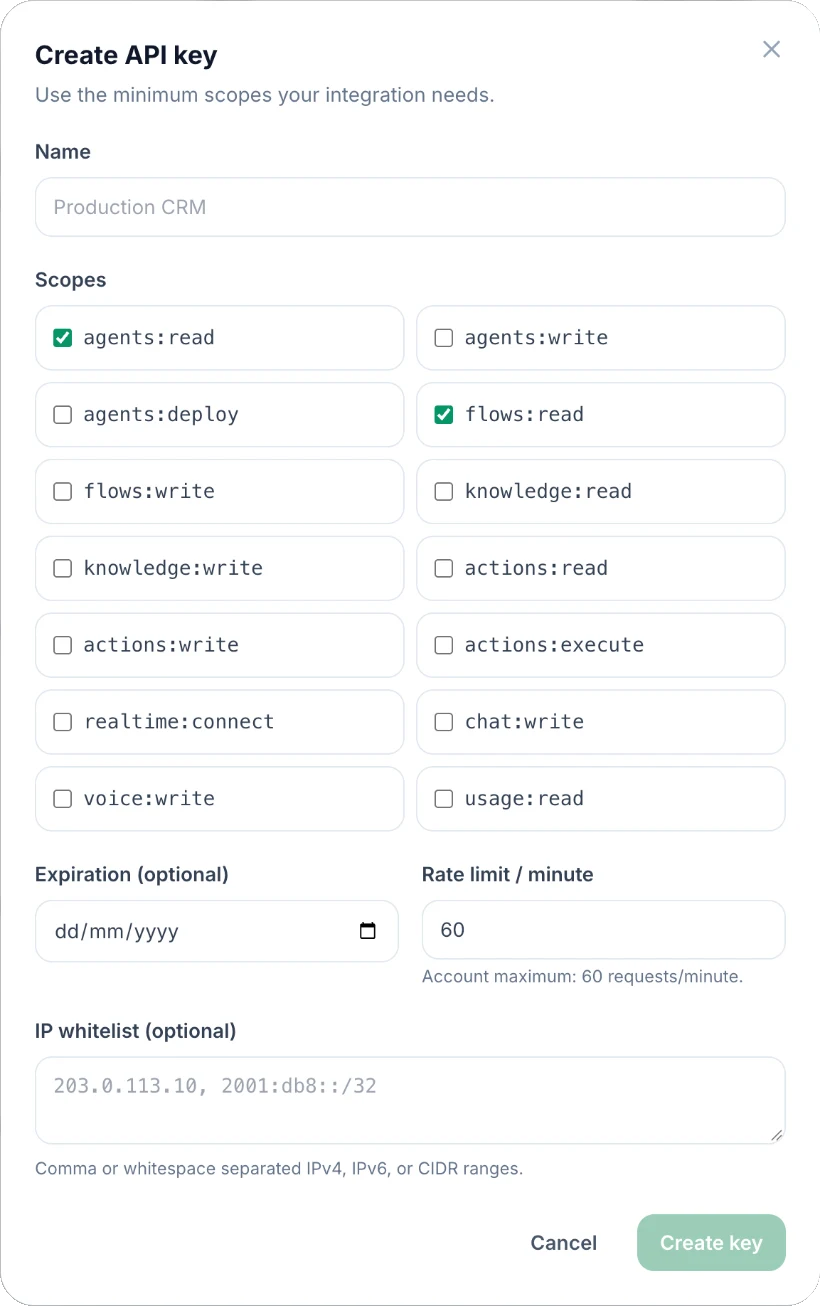
Rotate a key when it may have leaked or when the person who held it leaves. Revoke a key to stop it immediately.
A missing, expired, or revoked key returns invalid_api_key.
A request outside the key’s scopes returns insufficient_scope.
Scopes
Agents
Flows
Knowledge
Actions
Realtime
Usage
HTTP API
Every path below is relative to https://api.vexu.ai/api/public/v1.
meta.request_id on every response
Every successful and failed JSON response includes meta.request_id.
Send Idempotency-Key on mutating requests
Mutating requests should send Idempotency-Key. Reuse the same key only when retrying the same operation. A new operation needs a new key.
Creating an agent starts it as a draft. Deploy activates it. Provider secrets are not accepted or returned on this API.
/agents
agents:read
/agents/{agent}
agents:read
/agents
agents:write
/agents/{agent}
agents:write
/agents/{agent}
agents:write
/agents/{agent}/deploy
agents:deploy
/agents/{agent}/actions
agents:write
/agents/{agent}/actions/{action}
agents:write
/agents/{agent}/knowledge-bases
agents:write
/agents/{agent}/knowledge-bases/{knowledgeBase}
agents:write
WebSocket
Connect to the URL from the session response, for example wss://api.vexu.ai/realtime/vxu_rt_….
Frames use version 1 and a request_id. Reuse a request_id only when retrying the same command.
| Command | Purpose |
|---|---|
session.resume | Restore session and call state after a reconnect, before the ticket expires. |
chat.send | Send one text turn through the selected flow. Requires chat:write. |
chat.cancel | Drop a chat request the client no longer needs. |
call.start | Ask for a LiveKit room. Requires voice:write. |
call.end | End the call on the control plane. The client must also disconnect the media room. |
ping | Application-level heartbeat. The socket also uses native ping/pong. |
session.end | Revoke the ticket and close the socket. |
| Event | Purpose |
|---|---|
session.connected | Ticket accepted. Includes capabilities, expiry, and current call state. |
ack | The command was accepted. |
chat.delta | One ordered fragment of the reply. Append until chat.completed. |
chat.completed | The full reply and the flow run id. |
call.ready | LiveKit url, token, room, and expires_in. Do not store the token. |
call.ended | The control-plane call is over. |
error | A stable error code. Scope and validation errors need a changed request. Transient errors can be retried with the same request_id. |
Voice
The client is responsible for:
Website widget
This is separate from the customer API key. A saved widget in the portal produces an embed snippet.
<script src="https://api.vexu.ai/widget/vexu-widget.js"></script>
<vexu-chat-widget widget-key="wgt_…"></vexu-chat-widget>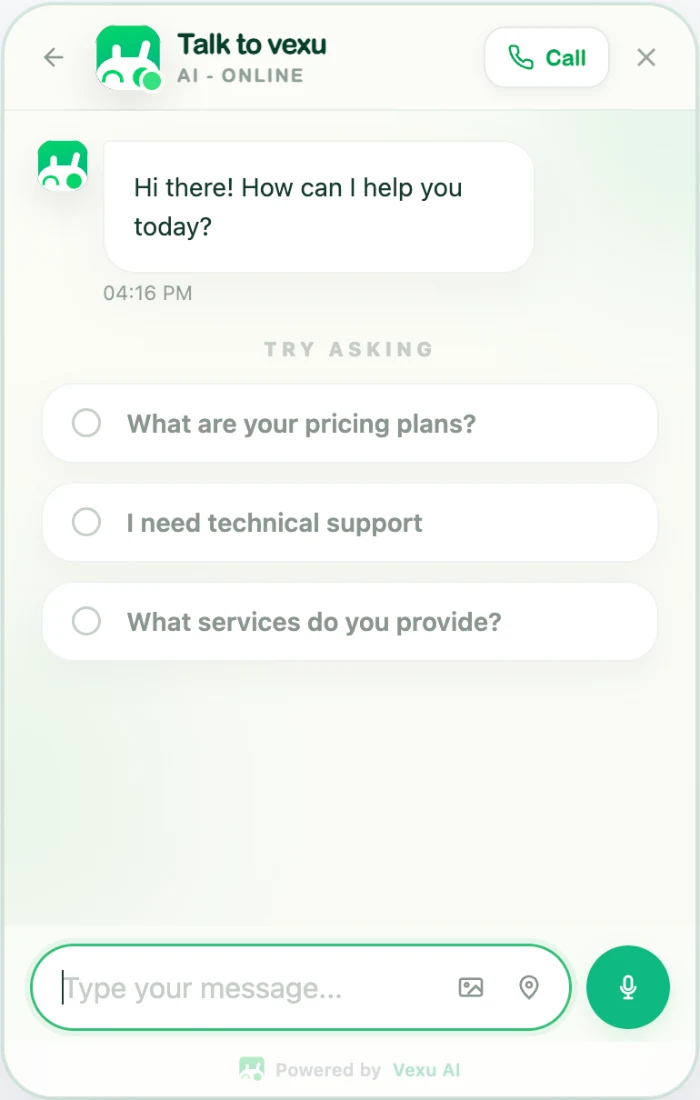
The widget can:
client-context in HTML, or setClientContext() after the visitor logs in.vexu_live_ key in the page.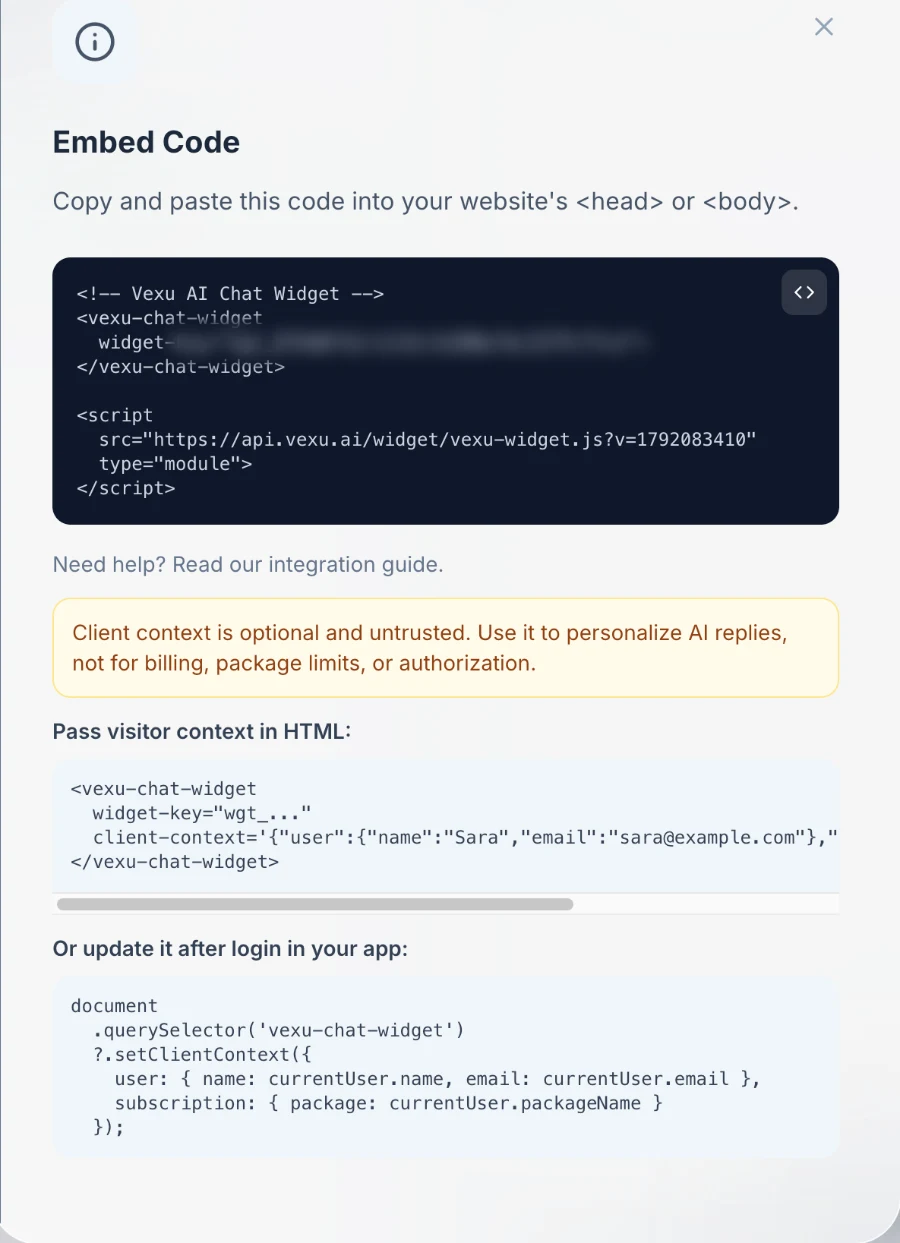
Limits
| Condition | Result |
|---|---|
| Customer API access is off | CUSTOMER_API_DISABLED |
| Monthly request allowance is used up | CUSTOMER_API_MONTHLY_LIMIT_EXCEEDED |
| Per-minute limit is hit | RATE_LIMIT_EXCEEDED or rate_limit_exceeded, with Retry-After |
| Remaining minute budget | Response header X-RateLimit-Remaining |
Capped exponential backoff with jitter
waitjitterRetry
Don’t retry unchanged
Retry 429 and transient 500, 502, 503, and 504 with capped exponential backoff and jitter. Do not retry 400, 401, 403, 404, 409, or 422 unchanged.
A validation failure returns validation_error and field details. Fix the body before sending it again.
Production checklist
Authorization headers in error reporting.Create a key, pick the scopes, and call the API. The in-app reference is under Developers → Documentation.
Open the portalThe portal login, the mobile app billing API, and the admin API are different products. A developer integration uses /api/public/v1, the realtime ticket, or the website widget.